

Veteran extensions
Once a season, lock up one veteran: add one or two years, see what he costs every year, check your cap, and submit. It goes straight to MFL.
Updated November 22, 2026
Every team gets one veteran extension per league year. It's how you keep a player you believe in on a longer deal before he hits free agency. You set it up from his player card on Rosters, you see exactly what he'll cost in every season before you commit, and nothing is filed until you press Submit.
The rules
- One per team, per league year. The league year runs from Feb 15 to Feb 14 at 8:45pm PT, not by the NFL season. An extension in November and one in early February fall in the same league year, so you only get one of them. The count resets after Feb 14 at 8:45pm PT, when the new league year starts.
- He needs at least 2 years left on his current contract. With 1 year left he can't be extended; that's what the franchise tag is for, and it opens Feb 1 to Feb 14 at 8:45pm PT.
- No rookie contracts. Players on a rookie deal (RC) or a 1st-round team option (TO) use the Rookie Extension instead, and that doesn't use up your veteran extension.
- Add 1 or 2 years, up to 6 in total. The contract after the extension can't run longer than 6 years, so a player with 5 years left can only add 1.
- Any player, any time. The rule applies to all players equally, and there's no window: file it whenever you're ready during the season.
- The $45 million cap still applies. His raise counts this season, not just in later years, so make sure you have the room.
- The rule runs until Feb 15, 2028. The 2027 league year is the last one with a veteran extension.
How the price is set
- It's the Rookie Extension formula. Take the average of the top 5 salaries at his position. Multiply it by the years you're adding, divide by his total years after the extension, and add the result to his current salary.
- That's his new salary starting this season. It then goes up 10% every year, like every other contract.
- Adding 2 years costs more than adding 1, because more of the top-5 average is spread across the contract. His player card lists the price of each under Extend or tag.
Worked example: Colston Loveland, TE
- Today: $852,500 with 4 years left. The owner adds 2 years, so the new contract runs 6, the most it can.
- Top 5 TE average: $6,518,000.
- The math: $6,518,000 × 2 ÷ 6 = $2,172,667, plus his $852,500 = $3,025,167 this season.
- Every season after: +10% a year: $3,327,684, $3,660,452, $4,026,497, $4,429,147, then $4,872,062 in the final year.
Step 1: Open the player's menu
- Go to Rosters, find your player, and tap him to open his card.
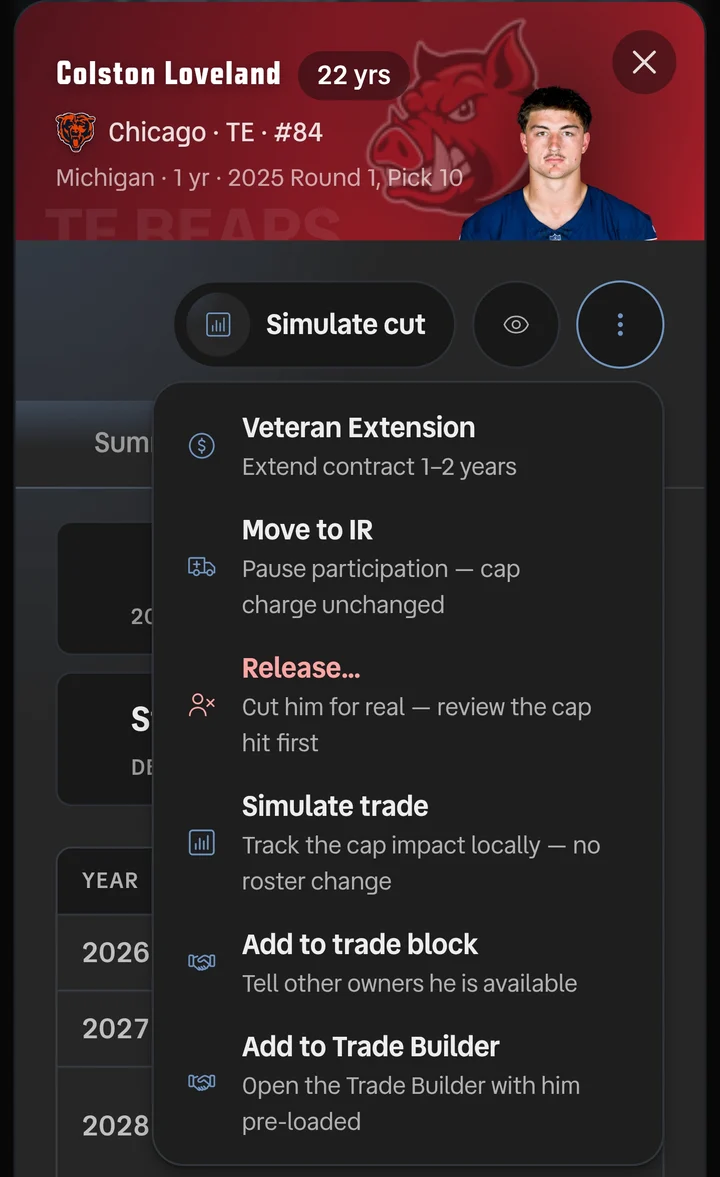
- Tap the ⋮ button next to Simulate cut, then pick Veteran Extension. If it isn't in the menu, he isn't eligible.
Step 2: Choose the years to add
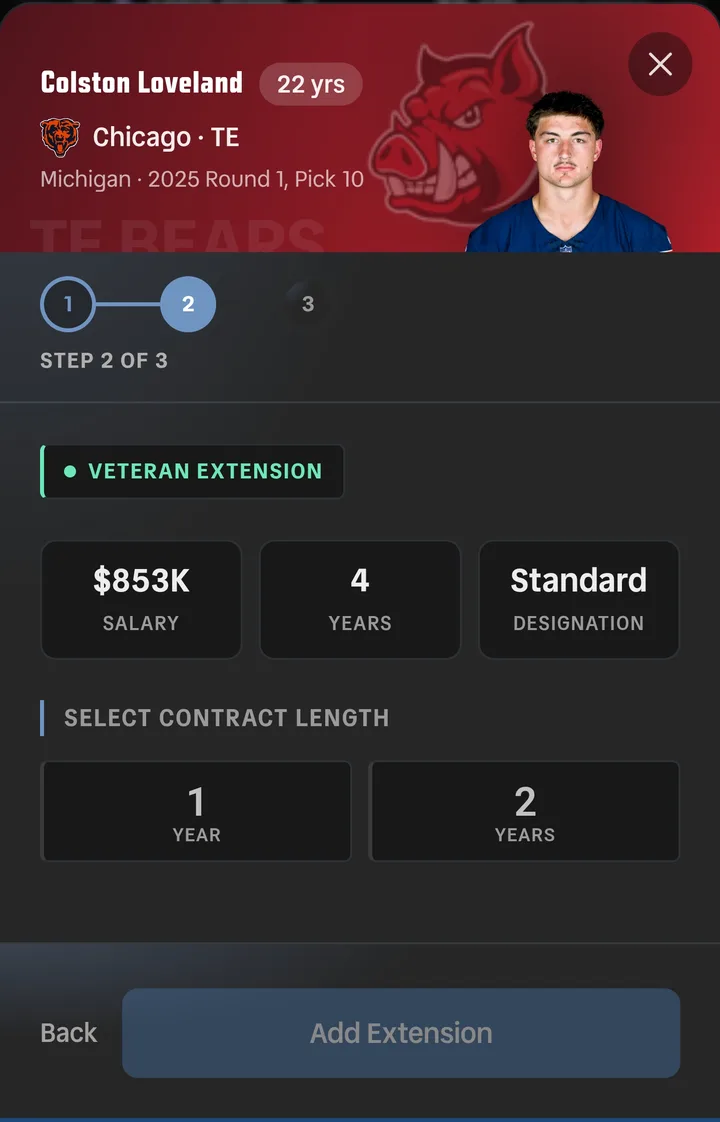
- Pick 1 or 2. These are years added to what's already on his contract, not the new total. Loveland has 4 years left, so 2 makes his new contract 6 years.
- Only see 1 year? That means he can only be extended by 1 more year, because the new contract can't go past the 6-year maximum.
Step 3: Check the terms
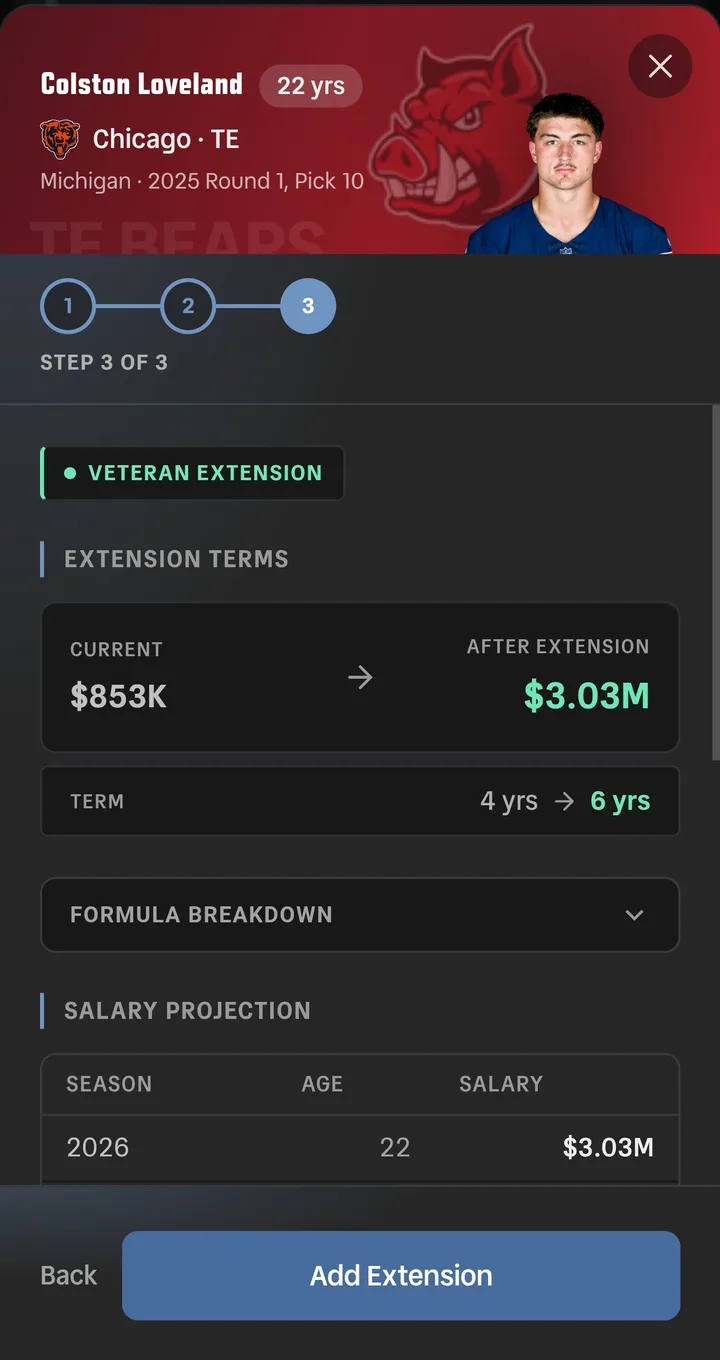
- Extension terms show his salary now and after the extension, and how long the contract runs before and after.
- Formula breakdown opens the math with the real numbers, including the top-5 average it used.
- Salary projection lists every season of the new deal with his age that year, so you know what you'll be paying him at 27, not just at 22.
- Tap Add Extension. This only adds it to your plan. Nothing has been filed yet.
Step 4: See it on your roster
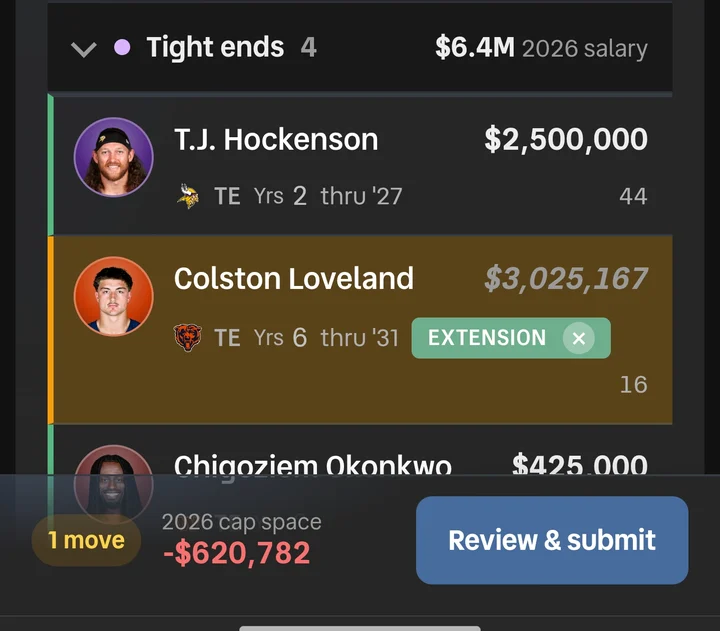
- He's marked EXTENSION on your roster in GM view, with his new salary and how long the contract now runs.
- The bar at the bottom counts your planned moves and shows this season's cap space with them included. In this example the extension leaves the team at negative $620,782, which is over the $45 million cap.
- Changed your mind? Tap the × on the EXTENSION tag to take it off.
Step 5: Review and submit
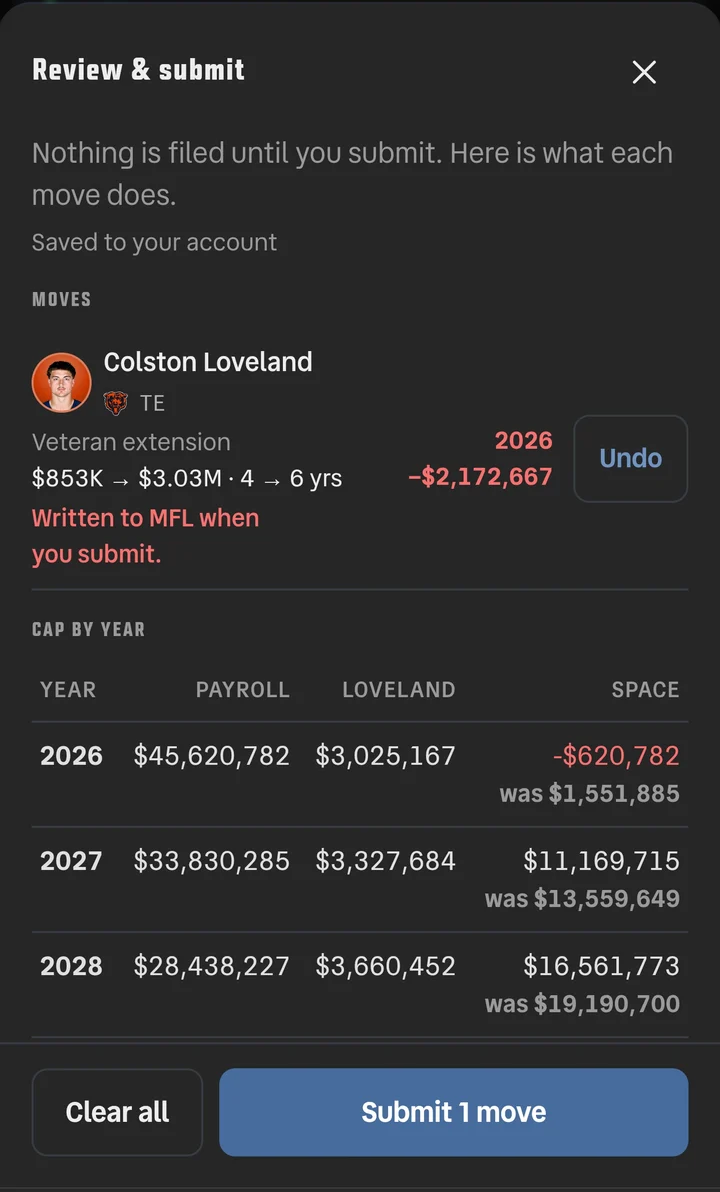
- Tap Review & submit. You'll see each move, what it does to this season's cap, and a Cap by year table: your payroll, his salary, and your cap space every season, next to what it was before.
- Look for a negative cap number. If any season shows negative cap space, the extension would put you over the $45 million cap. Clear room first (or add 1 year instead of 2) before you submit.
- In this example, don't submit yet. Loveland's extension puts the team $620,782 over the cap this season, so the owner has to free up at least that much, with a cut or a trade, before he can submit it.
- Undo drops one move and Clear all drops them all. Your plan is saved to your account, so you can leave and come back to it.
- Tap Submit. The new contract is written to MFL right away. There's no commissioner approval step.
Good to know
- Submitting is final. Once it's on MFL, it's your veteran extension for the league year, and contracts can't be renegotiated.
- Not sure who to pick? The Your veteran extension card in Front Office says whether you've used yours this league year and lists your likely candidates first: players under $3 million who have finished in the top 10 at their position.
Message